What Is LinkedSignal in Angular?
The linkedSignal is a new Angular feature introduced in Version 19. It helps manage local states that depend on other signals. It creates a writable signal that updates automatically when the signals it depends on change. This is useful for keeping the local state in sync with dynamic data.
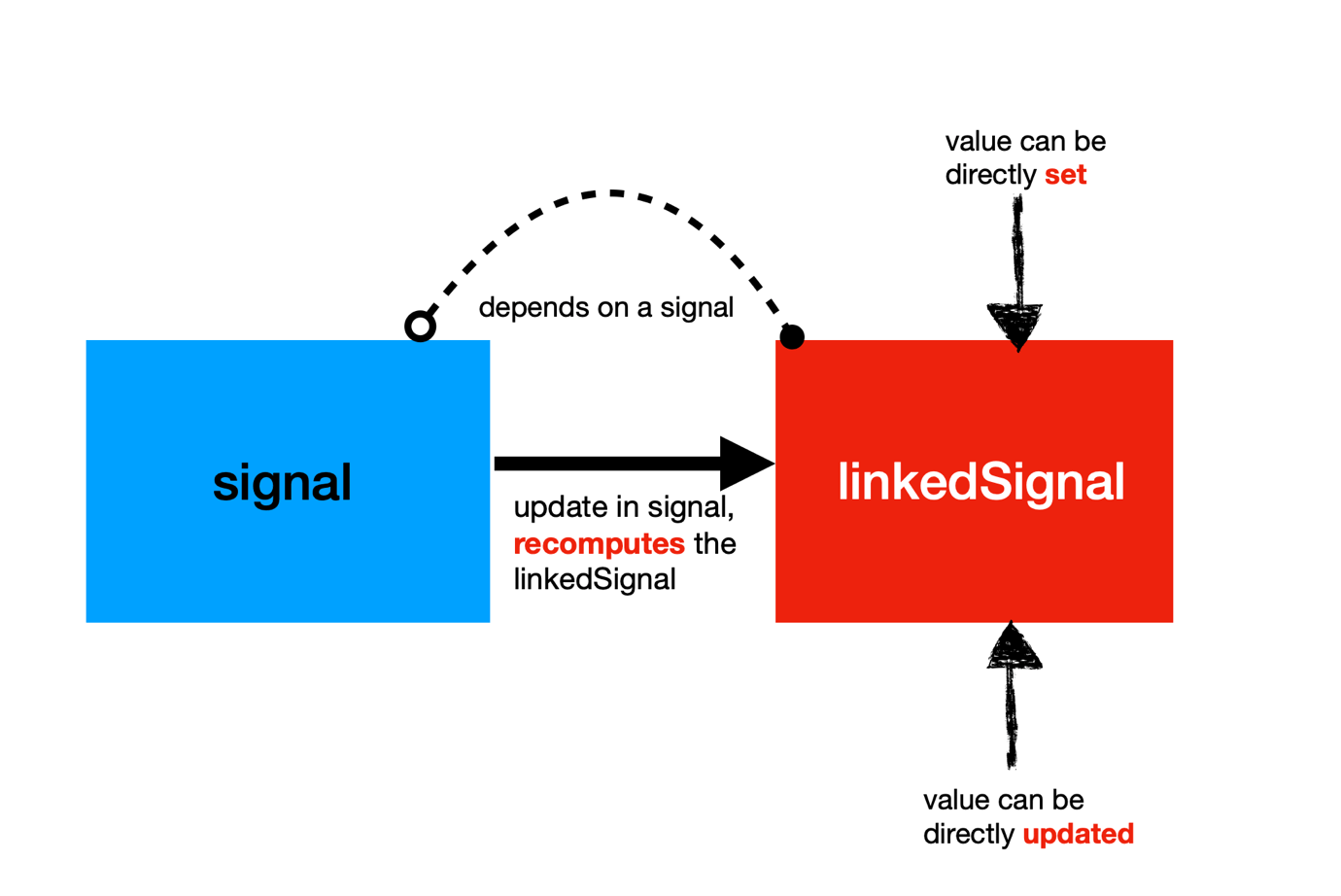
Some important points about linkedSignal are:
- It is a WritableSignal, allowing you to set and update the value directly.
- It depends on the existing signal, causing its value to be recomputed whenever the source signal changes.
- It is different than the computed as they are read-only.
How to Use LinkedSignal
To understand linkedSignal, start by defining a type.
export interface IBook {
   Id: number;
   Title: string;
}
Next, create a signal to set up a reactive signal containing an array of books.
bookData: IBook[] = [
    {
      Id: 1,
      Title: 'Angular Essentials',
    },
    {
      Id: 2,
      Title: 'React Masterclass',
    },
  ];

  books: WritableSignal<IBook[]> = signal<IBook[]>(this.bookData);
Next, we will utilize this signal to generate a linkedSignal, as demonstrated below.
seletedBook = linkedSignal({
    source: this.books,
    computation: (a) => {
      console.log('hello');
      return a[0];
    },
  });
As you can see, a linkedSignal can be created using the linkedSignal factory function. You can either explicitly pass the source and computation function, as shown above, or use the shorthand syntax below.
seletedBook = linkedSignal(() => this.books()[0]);
Next, you can utilize both the signal and linkedSignal in the template, as shown below.
<ul>
 @for (book of bookData; track book.Title) {
   <li>{{book.Title}}</li>
  }
</ul>

<h3>Selected Books : {{seletedBook().Title}}</h3>

<button (click)="changeBook()">Change Books</button>
<button (click)="updateSelectedBook()">update selected book</button>
We have added two buttons to update both the source signal and the linked signal directly. When the changeBook function updates the books signal, the selectedBook linkedSignal is automatically recomputed with the new book—in this case, .NET.
changeBook() {
    this.bookData = [
      {
        Id: 1,
        Title: '.NET',
      },
      {
        Id: 2,
        Title: 'Java',
      },
      {
        Id: 3,
        Title: 'Angular Essentials',
      },
    ];

    this.books.set(this.bookData);
  }
As mentioned earlier, since linkedSignal is writable, you can directly assign it a specific value, as shown in the following code listing:
updateSelectedBook() {
    this.seletedBook.set({
      Id: 1,
      Title: 'You Do not know JavaScript',
    });
  }
Recap
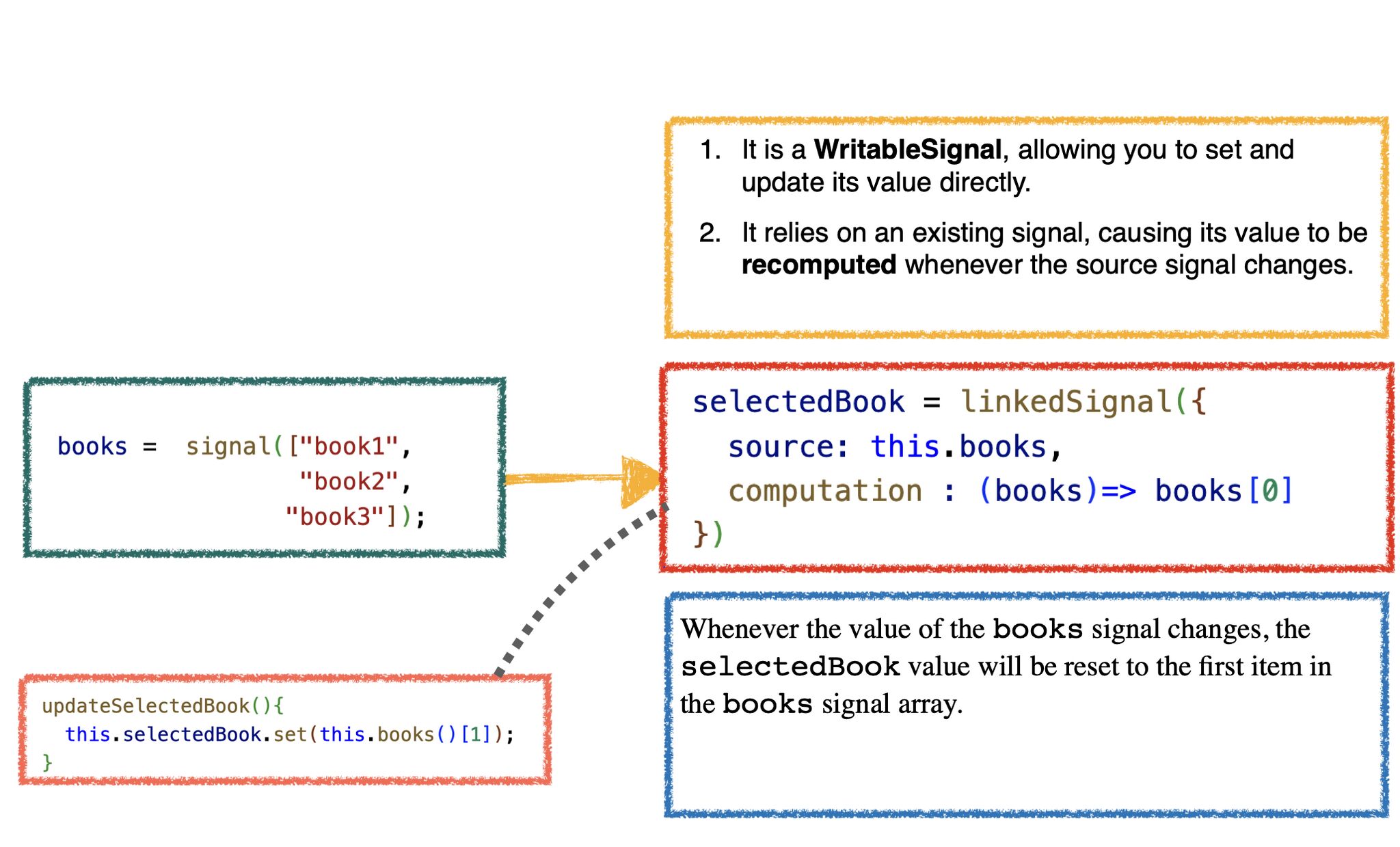
We can illustrate the key points of our discussion of linkedSignal with the diagram below.
I hope you find this introductory post on linkedSignal helpful and will use this feature in modern Angular development.